
A few apps.
One place to keep track.
One app makes steady sales. One is finding its first users. One still needs a little too much of your attention. Indie keeps the differences visible.
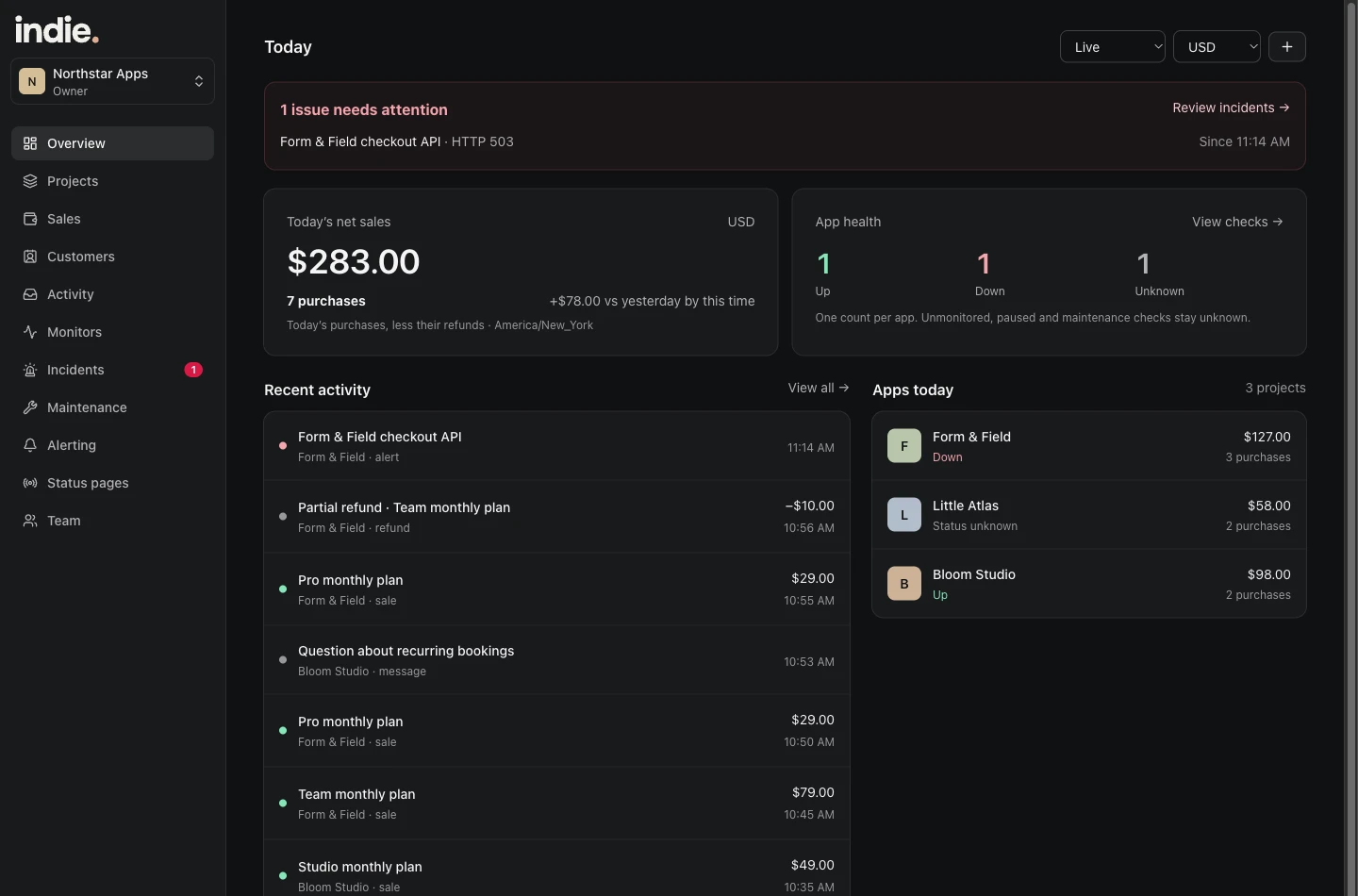
The morning check
Start with the overview: today’s sales, app health and anything that needs attention. You should be able to tell whether it is an ordinary day before opening each provider’s dashboard.
A healthy app and a busy app are different things. Indie puts both signals in view without reducing them to an unexplained score.
A payment comes in while you’re building something else
The notification tells you there was a sale. Open it to see the project and purchase details. Later, browse customers and refunds in the same history.
When projects share a Stripe account, assign them deliberately. Unmatched purchases stay unassigned instead of quietly inflating the wrong app’s revenue.
One service needs attention
A failed API check should point at the API, not make you guess which of your projects is affected. Open the monitor, look at the incident, and use that timing to investigate in your logs.
Recovery closes the loop. The rest of your apps can keep running while you deal with the one that needs you.
A useful starting setup
Connect your revenue-producing apps first. Add a website or API check for each, then a heartbeat for the job you would least like to discover has stopped. Keep quiet hours realistic.
The launch plan is for one owner. If your day includes a staffed on-call rotation, complex escalation ownership or several operators, Indie’s launch plan is not designed for that workflow.
Make the first connection.
The setup guide covers project creation, monitoring, Stripe options and custom events. The product is still in private testing; you can explore the screens and ask about early access now.
Read the setup guideFor the apps you keep coming back to.
Start with your first project. Add a useful check and see your app’s activity in one place.
Start free trialSee launch pricing