
The product,
up close.
A few screens are more useful than a long list of promises. These are captures of the working Indie app with sample data.
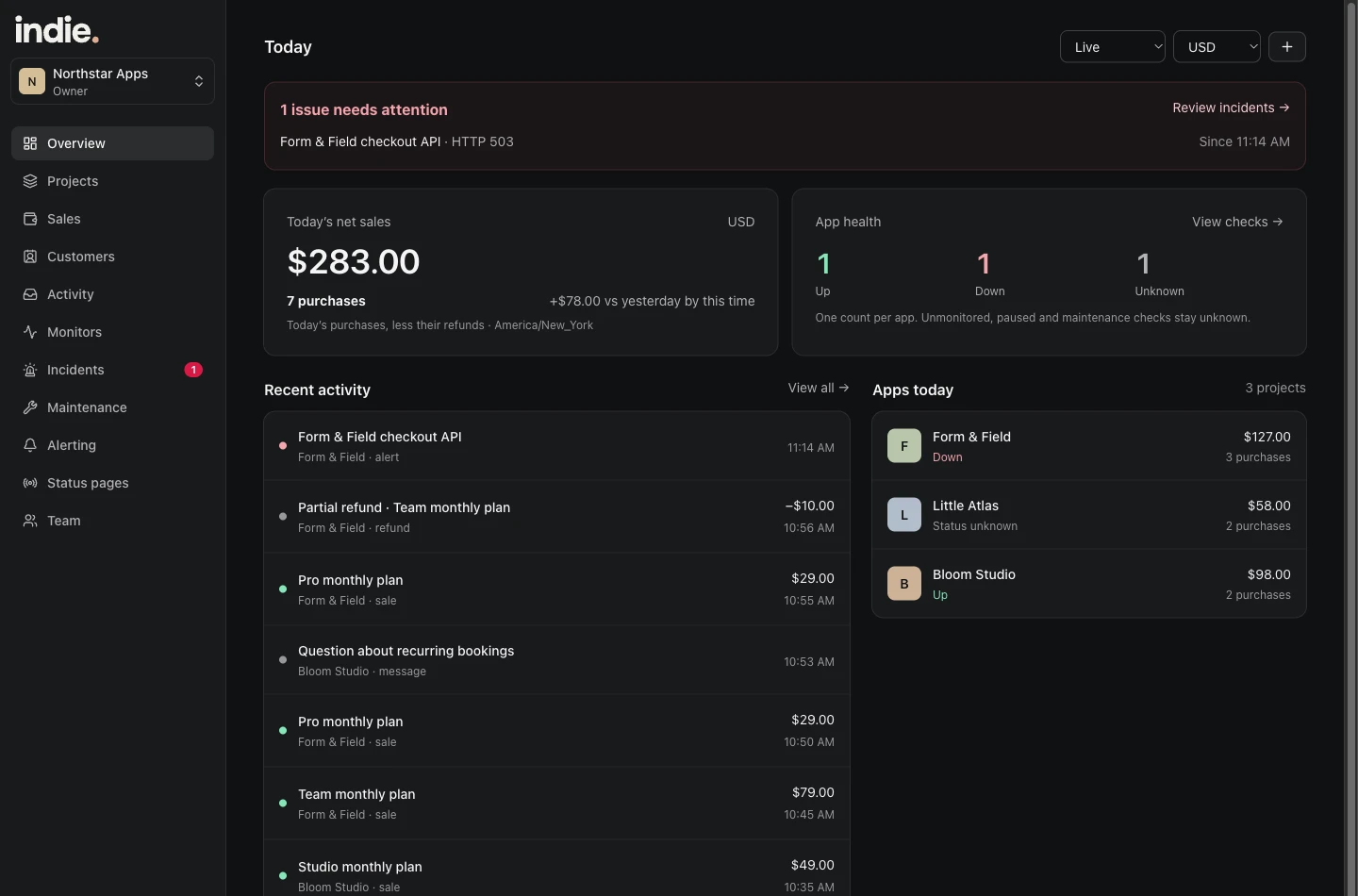
Start with the thing that needs attention.
App health and today’s net sales share the overview. An open incident sits above the routine activity, so an outage does not disappear in a list of purchases.
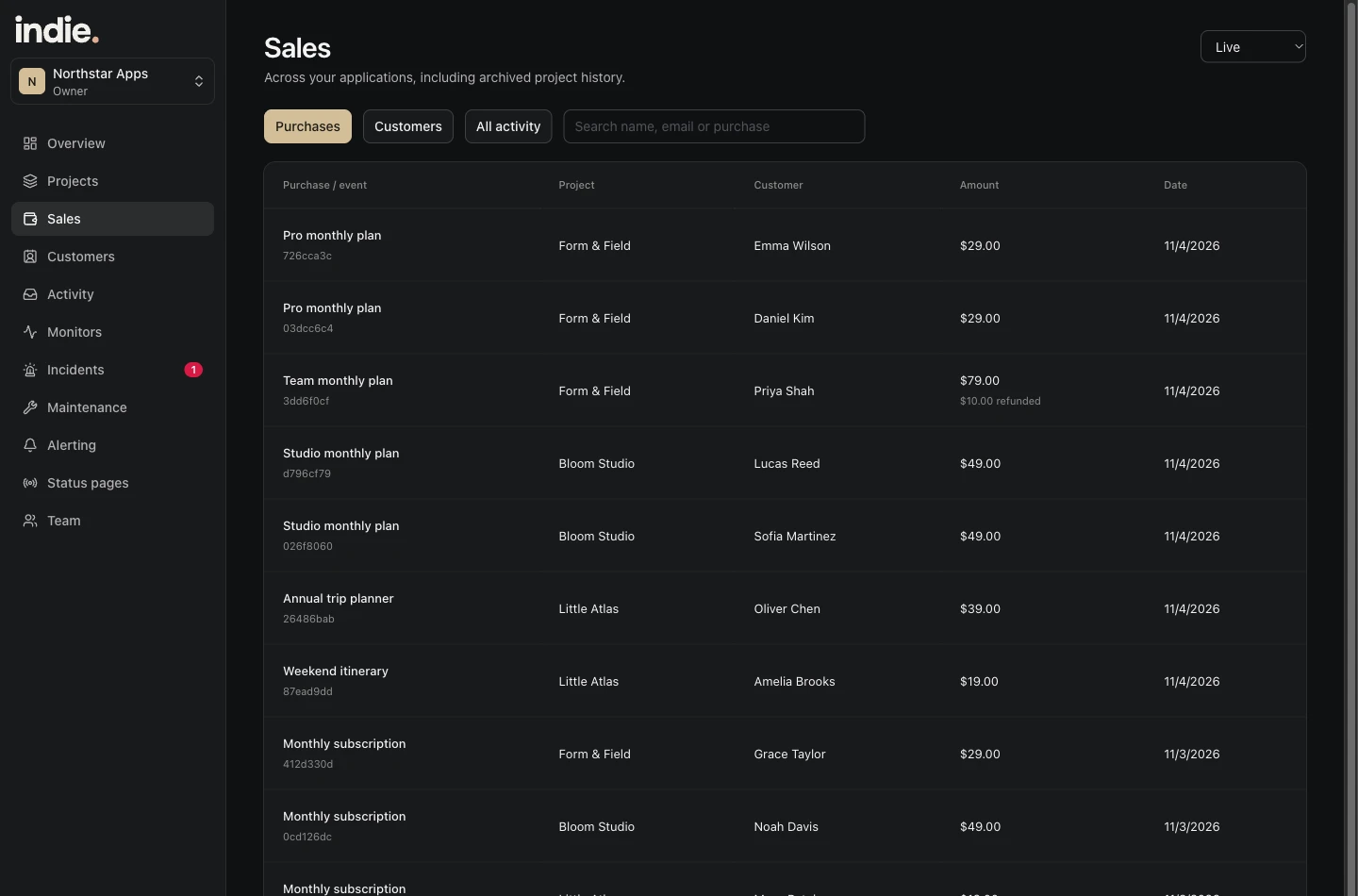
See the purchase behind the ping.
Browse purchases across projects, see the customer and amount, and account for refunds. Keep currencies separate rather than hiding an exchange-rate guess in a single total.
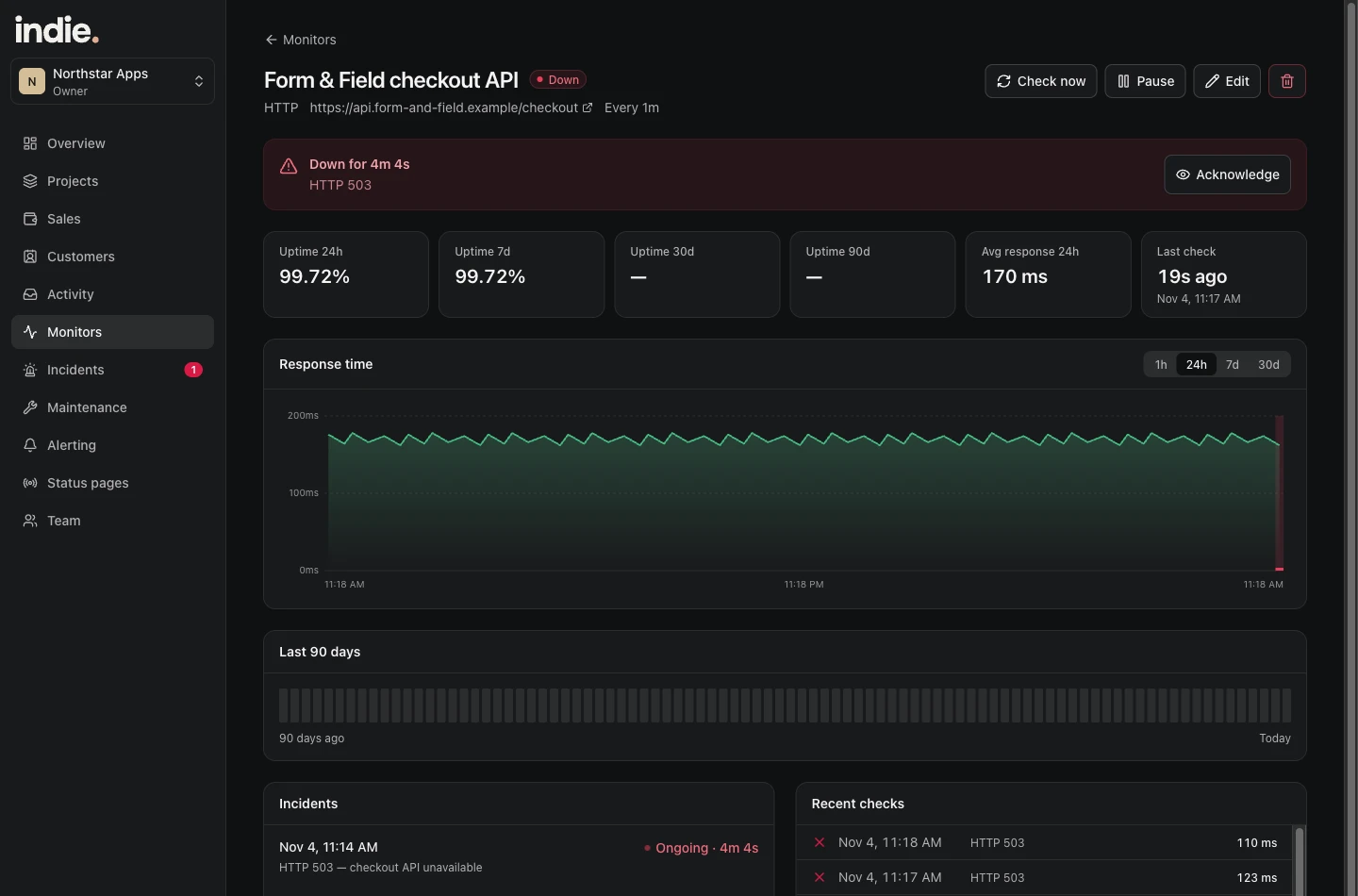
Follow the incident through recovery.
Open the monitor behind an alert to see its status, recent checks and incident history. Acknowledge an incident when you are handling it.
The same projects.
A smaller screen.
Use the web app for setup and a broader view. Use the iPhone app when you want to check a sale, see an incident or glance at how the day is going.
The companion app includes native notification sounds and Home Screen widgets. It is being tested privately and is not on the App Store yet.
Explore iPhone and widgets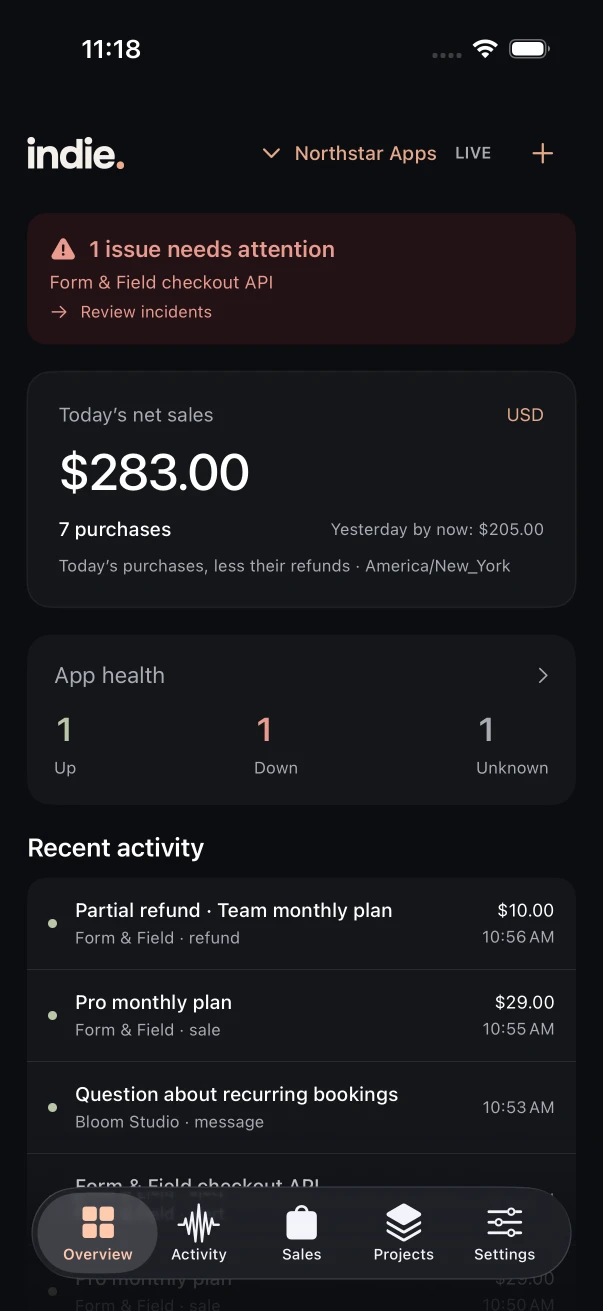
Try to answer one question.
Which app needs attention? What sold today? Did that job run? Those are the questions Indie is built around. It is not trying to replace your code editor, provider logs, accounting software or support inbox.
When the overview raises a question, open the relevant purchase or monitor. When you need deeper debugging, return to your app’s logs with the affected service and timing in hand.
Get the signals right first.
A monitor needs a useful target. A sale needs the right project. A custom event needs an integration in your server. That setup is what makes the overview useful; Indie does not infer that every part of your app is healthy from a single green homepage.
Walk through setupFor the apps you keep coming back to.
Start with your first project. Add a useful check and see your app’s activity in one place.
Start free trialSee launch pricing